

Today’s blog will run through XLCubed’s commentary functionality.
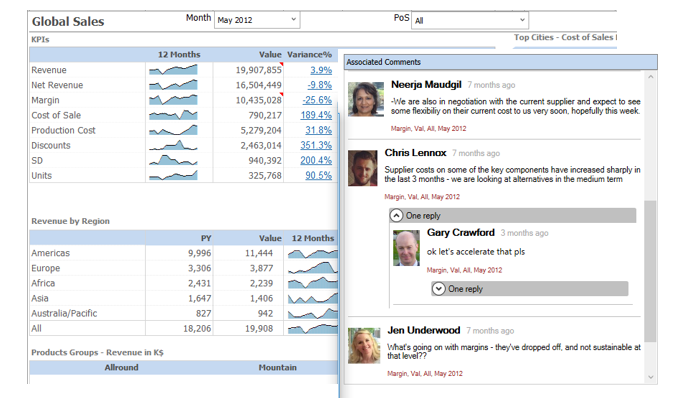
At XLCubed we have seen a lot of customer interest in commentary and collaboration in the last couple of years.
We’re all familiar with the standard comments functionality in Excel where you add a comment to an Excel cell.
However, in a dynamic BI environment it can be limiting. For example, say I add an Excel comment to cell $C$10, then the comment is tied to that specific cell. If a user changes a filter selection, the numbers change but the comment does not and may not now be relevant.
This is where XLCubed commentary shines through.